Category: Apple

Macs and stuff

Limiting the size of your Time Machine
If you use Apple's wonderful Time Machine backup system, the best thing to do is to give it a hard disk of its own, or a partition of its own, because it tends to grow over time to fill the space available, and trimming it later is not easy.

I've got about 3TB of space on my Drobo, and I don't want it all used for TM, but partitioning is a bit of a nuisance. Fortunately, there's a free tool you can download from Drobo called Time Tamer, which you can use for any large disk, and which will limit your TM backup space to twice the size of your internal hard drive.

For those of you who want more control and who are interested in what's happening under the bonnet, though, you can do this yourself. It involves creating a sparse disk image file with the right characteristics and name. TM will then use that instead of creating its own folder structure, and you can limit the size to which the sparse image will grow.

Here's my command line: hdiutil create -size 400g -fs HFS+J -volname "TM-backup-of-tafelberg" /Volumes/Drobo/tafelberg_0016cb9125cf.sparsebundle

  • 400g is the max amount of space I want it to take - the max size of the sparse image.
  • tafelberg is the name of my machine
  • Drobo is the name of the hard disk I'm using
  • 0016cb9125cf is the MAC address of my machine's ethernet port
This creates a sparse image on the disk called, in my case, tafelberg_0016cb9125cf.sparsebundle. If you switch off Time Machine, move, rename or delete any Backups.backupdb folder that TM may have created there, run an appropriately modified version of this command, and then switch TM back on and select the original disk as the one to use, TM should notice this image and use it to store the backups. I guess you'll know if it worked if TM doesn't create Backups.backupdb again at the top level of the disk! Followup: Mmm. I found that, when I used this method, and then went into Time Machine, I didn't get the pretty windows disappearing into the past - it just showed Today. If I mounted the image as a drive, however, the backups seemed to be there and I could restore from them. The moral being that you should check that restoring works for you too if you use this method!

The landscape keyboard is mightier than... the portrait one

TouchType is a handy little iPhone/iTouch utility if you compose many email messages on your phone. That's all it does - lets you compose or reply to emails - but it does it with a landscape-format keyboard.

By default, the standard keyboard will only switch into landscape mode in the web browser. (It's well worth rotating your phone before typing into a web form field.) This utility can't quite add that facility to other apps, but it creates a separate app into which you can enter larger quantities of text and then tap a button to fire them into the main mail program. If you rotate your phone and then put it down on the desk, you can just about type with two fingers.

Worthwhile, I think, considering it's only 59p.

Ahead of its time?

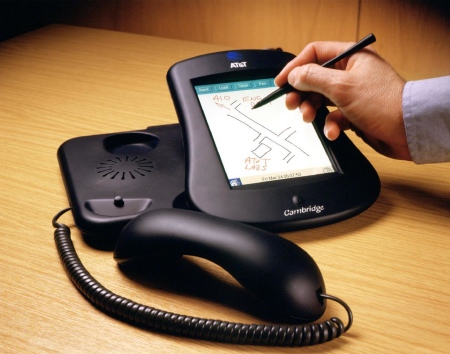
In 2001 at the AT&T Labs in Cambridge, we created a system we called the Broadband Phone:

Basically, it was a Linux-based VOIP phone with a VNC viewer and touch screen built in to it, and we built a GUI toolkit which rendered directly over the network in VNC. A standard Dell PC operated as the phone exchange (I wish we'd had Asterisk then!) and also provided the graphics for a variety of specially-written applications. It drove about 100 phones without any trouble, and we used this as our internal phone system in the lab for some time. The plan was to spin out a company based around the technology, but this was 2001, and you couldn't get funding for new companies, whatever you did!

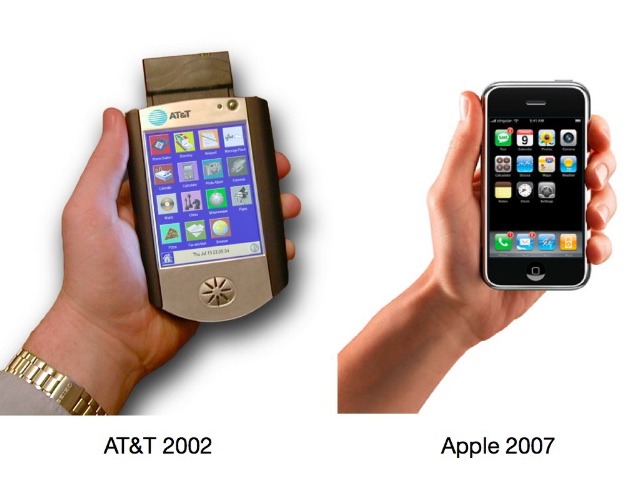
Anyway, at one point I created a cordless version based around a Compaq iPaq. I came across a publicity photo of it recently, and it took me a moment to realise why it looked so familiar:

Perhaps we were just too far ahead of the curve... :-)

You can find my original pages about the Broadband Phone project here on the Internet Archive.

Genius is not always recognised

If you've upgraded to iTunes 8, but not actually watched Steve Jobs' keynote or listened to lots of Mac podcasts, it may be easy to miss the best bit of the 'Genius' feature. The obvious bit - the Genius sidebar, shows you all the music you can buy at the iTunes store that might coincide with your tastes.

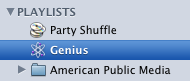
The more subtle bit is the Genius Playlist, which appears with your other playlists on the left hand side. If you select a song in your collection and then click the little 'genius' button at the bottom right, this playlist will populated with that song and a selection of your music that should go with it.

On my brief experiments, it seems rather good. The things you can do when you can draw on millions of users' data...

Disk Dock

After having a couple of hard disks do slightly wobbly things recently, I've been thinking about backups again, and have just treated myself to a Drobo - a wonderful, if somewhat pricey gadget. Storage Supplies had the best UK pricing I could find for the Firewire version, if anyone else is considering one...

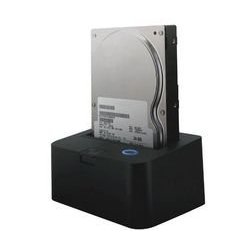
This device looks like an interesting option for making backups to be taken offsite, though:

Adieu? Or Adeona?

What are the chances of getting your laptop back if it's stolen? Pretty slim, probably. But you can at least improve the odds.

There are various utilities out there which, when installed on your machine, will call home from time to time. If somebody steals your machine and connects it to a network, you can then use information from these connections to help track it down.

I've created various home-brewed versions of these in the past but I guess a perfect utility would be:

  • not dependent on any one company
  • usable on multiple platforms
  • secure
  • open source
  • free
Ah! That would be Adeona you'd be wantin', so it would. More info here.

Datacase

It's fascinating to watch people discover new ways of using the iPhone/iTouch. The fun, I'm sure, is only just starting. It's the first widely-deployed device that has a multi-touch interface. It's the first mobile device with really good accelerometers in it. It's the first thing you can drop easily into your pocket that has such a beautiful screen. It has good connectivity and location-based services. It's really easy to install new applications. And, significantly, it's the first to combine all of these with a sophisticated GUI and operating system.

Sometimes, though, it's the simple things that can be the most useful. People have just started realising that you can make your phone into a fileserver on the local network, which means (a) you can transfer stuff to and from your phone without using iTunes if wanted, and (b) you can do it from any machine on the network, not just the one you normally sync with, and (c) you can also just ask your family or colleagues to drop files onto your phone. Do you remember how, in the old days, we would carry around memory sticks that had to be plugged in?

The application I'm playing with, DataCase, appears on your network as an AFP and FTP server, which means you can just open it in the Finder or in Windows, and, as an aside, it makes the contents available over HTTP. Yes, it's a web server. And we've certainly only just started to imagine the full implications of carrying a web server in your pocket...

Remotely Possible

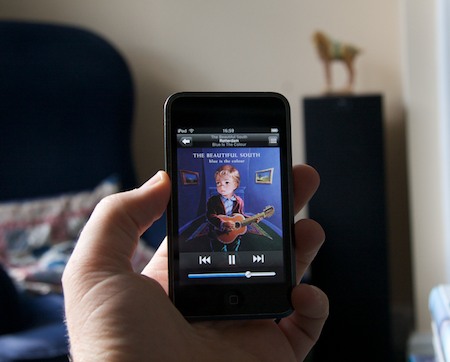
One of the neatest apps to be released for the new iPhone/iTouch software is Apple's Remote, which connects to a copy of iTunes running on a machine on your network and allows you to control it from the iPod.
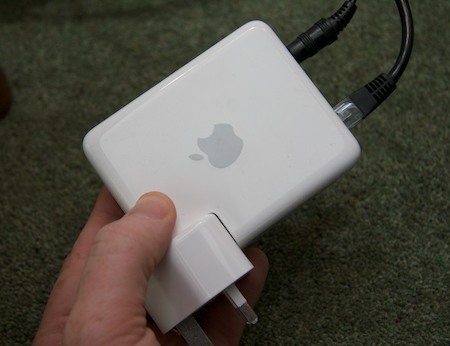
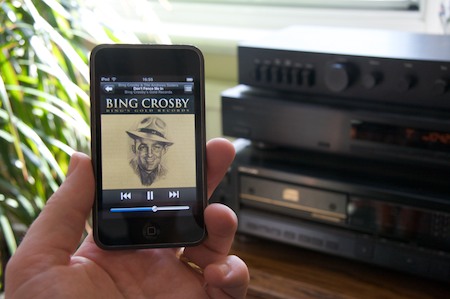
This is great, but I seldom feel the need to control my computer from across the room. It lives in a very small study and, from across the room, I can reach the keyboard! I did, however, have an old Airport Express hanging about, and an idea occurred to me today... I plugged it into the back of my stereo downstairs:

and configured my iTunes upstairs to play through the Airport Express, and suddenly I had wireless control of my entire music collection at my fingertips.

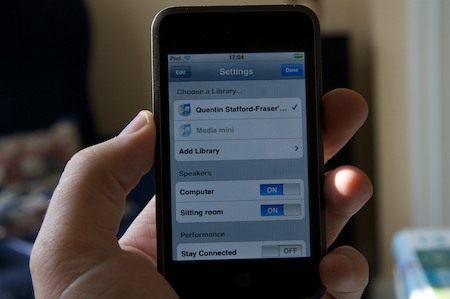
But wait, it gets better... I found the Settings panel on the Remote application and it had grown a new feature: the ability to select the speakers you want to use:

So now, sitting on the sofa, I can browse my music located in another room, and send it to the big speakers in this one.

Very cool. Mmm... Those Airport Expresses on eBay start to look much more attractive...

wget for Mac OS X Leopard

Three years ago I compiled a version of the 'wget' utility so that it would run under Mac OS X and uploaded it to Status-Q. It's had an amazing number of downloads, and I felt it was probably time to update it!

So here is a shiny new wget.zip, which contains the following:

  • the wget binary
  • the wget.1 man page
  • the default wgetrc configuration file
  • A README file telling you a bit more.
The main changes from the original version are:
  • it's a universal binary
  • it's the latest version of wget (1.11.4)
  • it's compiled on 10.5.4 and may possibly not work on older versions - please let me know in the comments if it does!
Hope it's useful! Here's some more of my Apple-related posts, or you could always just subscribe to the blog - here's the RSS feed !

Google & CalDAV

I think this is really quite important, though it sounds pretty technical and geeky at present. Google Calendars now support the CalDAV protocol. (So, incidentally, do Calgoo).

CalDAV is an open standard for synchronising and updating calendars, and I've been keeping an eye on it ever since Apple quietly announced, way, way back, that it would be supported in the Leopard version of iCal, their desktop calendar program. This meant that you could publish your calendar to a CalDAV server, and that other people could also subscribe to it and update it.

This is important because, for many people, calendar synchronisation (allowing things like meeting room booking as well) is the only reason they run the expensive abomination that is Microsoft Exchange. To have broader support for an open standard would be great! But my hopes of a brave new world were moderated somewhat when implementations of CalDAV servers, other than the one Apple shipped with its server OS, seemed to be few and far between.

Well, it's still early days and there are limitations and some rough edges - like iCal not syncing such calendars to iPhone/iTouch - but it's a good start: with people like Google and Calgoo now creating server implementations, and iCal, Calgoo and Mozilla Sunbird (at least) supporting CalDAV on the desktop, my hope is renewed...

Thanks to Garry for the link.