Category: Apple

Macs and stuff

Toq of the town

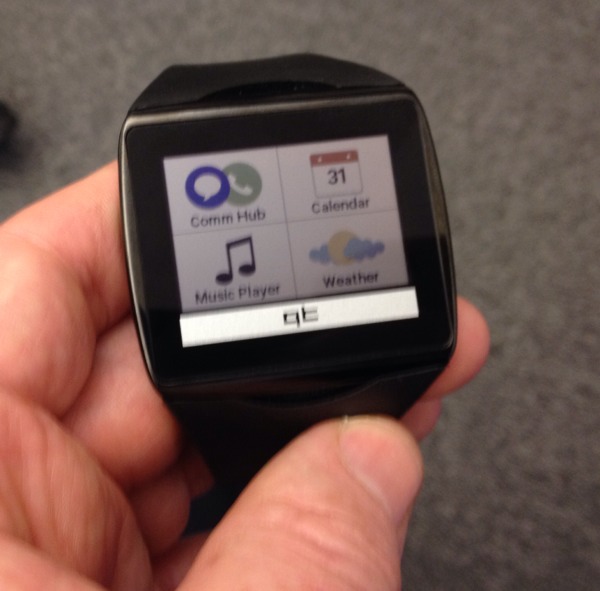
I was fortunate enough to get to play with one if these today - a Qualcomm Toq - one of the first to be publicly shown.

It's very nicely put together, slightly bigger than my Pebble, with a colour e-ink touch screen, and wireless charging. But Qualcomm have created this more, they say, to seed the market and demonstrate their technology than because they intend to sell it directly; though the idea of making some available (at around $300) is being discussed.

I hope they do. That's quite a lot for a watch, but it has a quality feel to it. The key question will be whether they can get good SDKs to developers early on, and whether they can make it play nicely with non-jailbroken iPhones... It's not very easy to get past the restrictions that Apple (for some good reasons) imposes on developers, but at that price, they would probably be targeting the Apple-buying market.

Time for FaceTime?

simpleIt's three years since Steve Jobs announced FaceTime, Apple's video chat technology. It's a fine system, and yet I realise that I can count the number of times I've used it on the fingers of one hand.

This is chiefly because Skype does rather more, and does it on non-Apple devices. I have dozens of Skype contacts, and can easily see which of them are online and likely to be disturbable at any time. With FaceTime, I haven't yet even found a list showing which of my friends have it.

However, the thing Skype doesn't particularly give you is a good mobile experience. I've used it on my phone a great deal when abroad; with hotel wifi it can save a fortune in roaming charges. But, on iOS at least, you want to turn it off as soon as you're done with it and not leave it running in the background, or your battery won't last beyond your siesta. So it's a way for you to contact other people, but not for them to contact you. FaceTime should handle this much better.

With the release of IOS 7, too, FaceTime gains an audio-only option, making it more of a direct Skype competitor (something Google Hangouts also need to offer, by the way). And as Skype's user interface gets progressively worse with each release (something that can't be blamed solely on their new owners, Microsoft) and since it's no longer the secure service it once was (something which can), I think I may be giving FaceTime more of a trial in the future.

A cool hidden feature in iOS 7 Mail

I've always wanted to run with the cool kids and be an Inbox-Zero kind of guy, but it never quite works. I'm more of an Inbox-Four-Digits kind of guy. I also have about half a dozen email accounts.

So I was quite pleased to discover some options in the iOS 7 Mail app which, though not really hidden, are perhaps not immediately obvious and yet might be useful for many people.

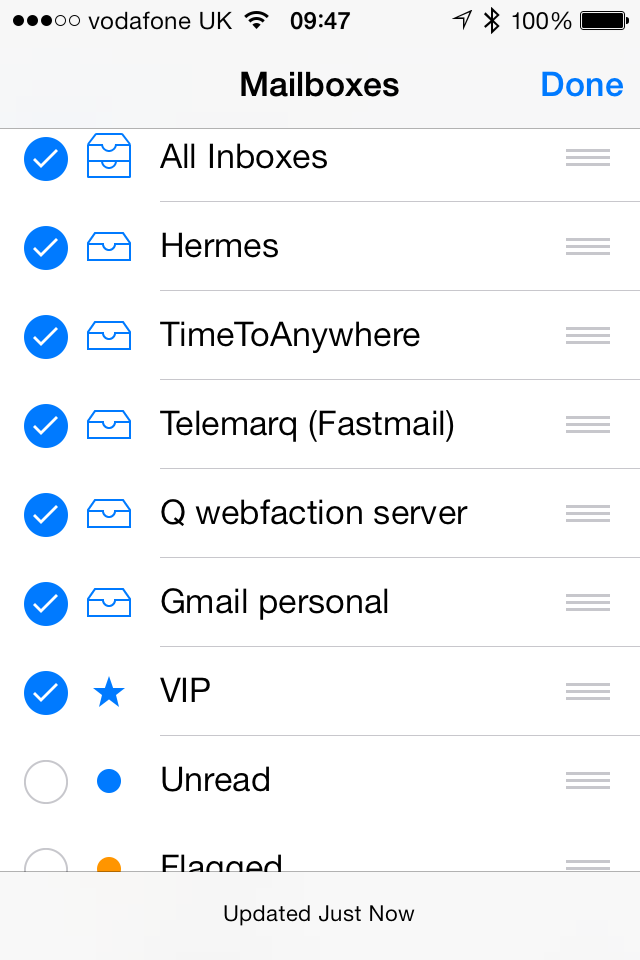
If you go to the list of Mailboxes and click the Edit button at the top, you'll find, down at the bottom, a few new 'smart folders' you can enable by clicking their checkboxes.

My favourite is the 'Unread' one, which will show you your unread messages across all inboxes:

2013-09-21_09-47-29

There are also ones for flagged messages, draft messages, messages with attachments, sent messages, and so forth: take your pick! If, say, you flag incoming messages which need your attention later, then the Flagged option creates a handy to-do list.

By default, each account's inbox is also visible in this list, but I don't really care too much about where messages came from - if I need to check a particular inbox I'm happy to dig down into its account, so I turn these off to keep things simple.

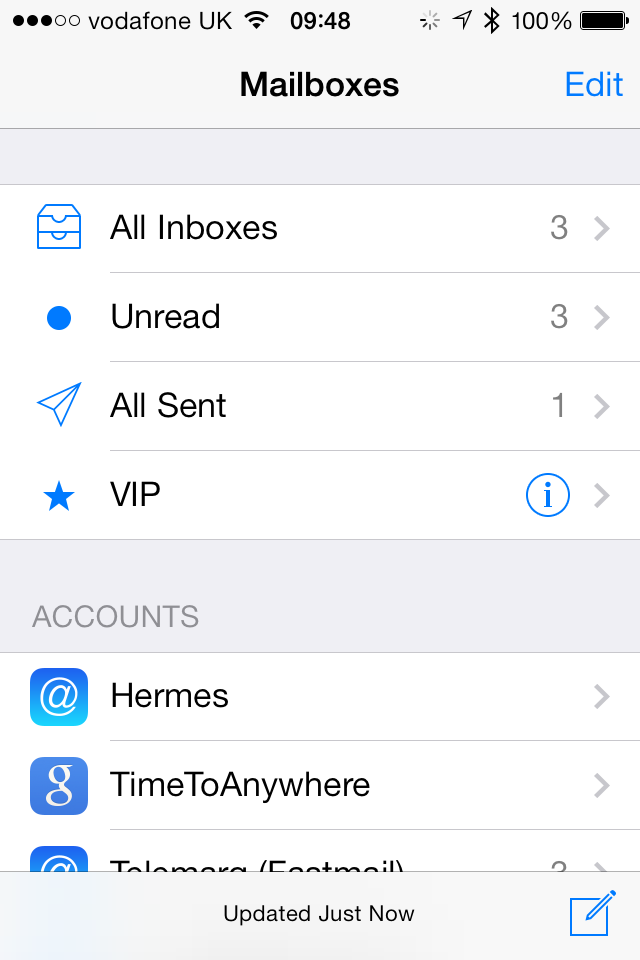
And lastly, you can of course rearrange the order in which the items are displayed, so I just drag my favourite 'folders' to the top, turn off the ones I don't want, and things are nice and clean:

2013-09-21_09-48-21

Emailing while on the road

My brother Simon, briefly homeless between moving out of his old house and moving into his new one, borrowed my iPad Mini to check some email while waiting in the street outside. (Recommendation: I manage most of our family's email now through Fastmail, who have a very nice webmail system as well as standard IMAP - very useful if borrowing someone else's machine.)

Simon emailing

Anyway, I use one of those Logitech Bluetooth keyboards that form a cover for the iPad when closed and a stand while in use. But when Simon had finished, we discovered another previously-unknown feature: the magnets in the hinges which attach it to the iPad, also attach it nice and firmly to the roof of a VW Golf! Actually quite handy...

Poster child

I'm just testing Poster, an iOS app for posting to Wordpress blogs. I've used Blogsy for some time, which is capable, but not beautiful, and at times decidedly quirky.

Poster is elegant, has Markdown support, and a URL scheme which means you can send posts to it from apps such as Drafts.

iOS tip of the day

In most places in iOS where you can edit text, you can tap with two fingers to select a whole line. This works, for example, in text editors like Notesy, Drafts and Byword, and can be quite a time saver. In fact, it selects the line up to the next line break; if you're typing code, that's probably one line, but if you're writing prose, it'll select the current paragraph. Very handy if you want to move paragraphs around using cut and paste.

Another place you can use it is in the URL field of a browser, where it will select the entire URL with fewer clicks than the usual tap-tap-select-all.

I use this, for example, if I'm looking at a page in Safari and want to open it in 1Password. As you probably know, apps can register particular URL schemes for their own use, and 1Password's browser will recognise ophttp and ophttps, so you can just go to the beginning of the URL in Safari, insert an 'op', and you'll be taken to the same page in 1Password (or 'g' for GoodReader, etc.)

The problem is that just 'going to the beginning and inserting something' can be a pain if the URL is long. You probably have to scroll slowly left, tap the correct insertion point, and so forth. Much easier is a two-finger tap, select 'Cut', type 'op' and then tap 'Paste'.

If you're doing this kind of thing regularly, you may want to set up a bookmarklet to make it even easier, but the two-finger tap is a handy thing to know in general.

Alfred 2 support for iTerm 2

iTerm 2 is a terminal program for the Mac with lots of great features beyond the standard OS X Terminal. Alfred is an excellent app launcher, which in its newly-released second version is taking the Mac world by storm.

If you don't use either of these, I strongly recommend them.

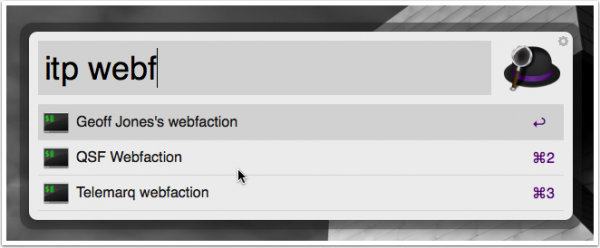
If, on the other hand, you already use both of them, you might like my (very basic) plugin that lets you list your iTerm profiles using an Alfred keyword and fire up a new iTerm window using the selected one.

Alfred iTerm

Digital Doppelganger

double

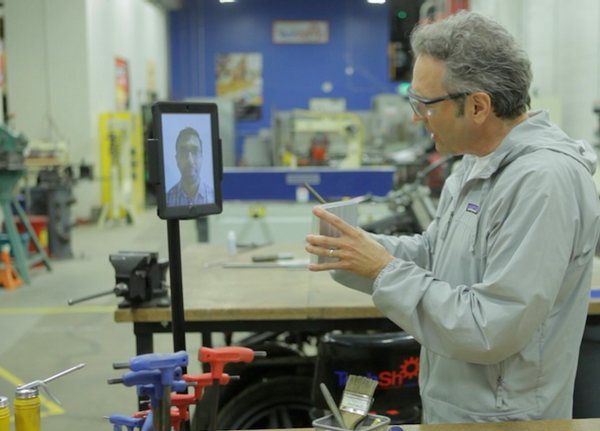
I've always liked the idea of a telepresence robot -- a video-conferencing device that you can move around a remote location to give you a more tangible presence there -- but suspected the number of really practical uses of these very expensive devices was somewhat limited.

So I was struck by the great story of Grady Hofmann featured in the latest BBC Click episode. Grady, an eight-year-old, was able to chat to his siblings in their bedroom, go to his school, and take his place at the family dinner table, all while he was confined to a hospital bed for 2 months during a bone-marrow transplant. OK, I thought - this stuff is worthwhile after all!

Double Robotics are creating a neat low-cost telepresence robot which uses an iPad as the face, eyes, ears and speaker, and Segway-type mobility. All for under $2000 (plus iPad) which means these are starting to be affordable. (The whole device would cost about the same as 4 months' rail commute from Cambridge to London.)

There are two issues I think these devices still need to tackle, though. The first is that they need the ability to connect themselves to a charging device, to reduce their dependence on other people. The Roomba can do this, so it should be manageable.

But the second is something that may be rather more tricky. I know this because it took the Daleks fifty years to come up with a solution.

Some are more equalised than others...

Here's a gadget I'd really like to have: a programmable in-car graphic equaliser.

My car audio system sounds fine at speeds below about 20mph, but certain parts of the audio spectrum tend to get lost when going faster, and I've never found a car stereo that copes well with this.

Having the volume increase with speed helps a bit, but I'd really like to be able to set equalisation to be reasonably flat when going slowly, and adjust it to boost, say, tenor vocals so that things sound good at 40mph and 70mph. Then it should interpolate between my various settings at intermediate speeds.

Anyone seen anything like this, or should I patent it? :-)

I guess it could be an iPhone app, since most of my audio comes from there, and it has a GPS...

Further TextExpander thoughts

TextExpander is one of the most useful utilities on my Mac -- I've used it since it was called Textpander, many years ago -- and it's becoming more and more important on my iOS devices too, since almost every app I use, with the notable exception of the Apple ones, now supports it. And the configuration synchronises across all my devices automatically, making things even easier.

It's arguably more useful on iOS, where it can help overcome some of the limitations of the keyboard. Typing email addresses can be tedious, for example, so I have three-letter abbreviations for most of mine. (Simple expansions like this can also be done using the built-in keyboard shortcuts available in Settings, which will work anywhere, but they don't have the power of the TextExpander ones.)

A current favourite example, since I'm writing more and more in Markdown, is my .mdl abbreviation. It inserts a Markdown link, taking the contents of the clipboard as the URL (which I've typically just copied using the little 'share' button in Safari), and positions the cursor at the right place to type the link text. A link in Markdown, for the uninitiated, looks like this:

[Status-Q](http://statusq.org)

If you work out how many key presses are needed on a standard IOS keyboard just to do the brackets, you'll realise that, though this is already a lot better than writing HTML, to do the equivalent with just .mdl and have it position the cursor in the right place, is a great help if you do it regularly. Which I do!

All very clever, and a great timesaver. But today I added a very simple abbreviation, vvv, which also makes use of the 'insert the clipboard here' capability. In fact, that's all it does: as soon as you type the third v, all three are replaced by the contents of the clipboard, a bit like typing Cmd-V on a regular keyboard. I find this rather easier, particularly in small text boxes on a phone screen: to have a keyboard-based paste function, instead of having to move from the keyboard and tap carefully in the right place, with the right precision and timing not to select anything.

It really is too bad the Apple apps don't support it, but I hope it may be useful for others anyway.