Quick VNC on Mac
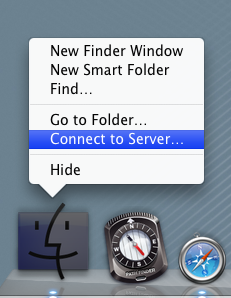 A quick way to get a VNC connection from a Mac to another machine's desktop:
- Right-click on the Finder icon in the Dock, and choose Connect to server...
- In the Server Address box, type vnc://machinename
Quentin Stafford-Fraser's blog
One should always have something sensational to read on the net...
A quick way to get a VNC connection from a Mac to another machine's desktop:
Leave a Comment