Posts from December 2008

TIYOIY

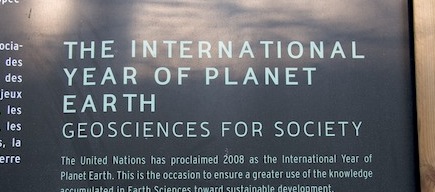
Don't you just love the way people like to declare that this is the 'International Year of X', where X might be almost anything? Walking in the Jardin des Plantes yesterday I came across this:

2008 is the International Year of Planet Earth, apparently. That's no doubt been a constant reminder for those of you who have been tempted to spend too much of the last 12 months thinking about Jupiter. And it should have made anybody on Jupiter sit up and take notice, too. Though, of course, they would have different years... Anyway, I'm glad I heard about it on Dec 29th or I could have missed out altogether! This concern led me to do some research, and discover that 2008 is also The International Year Of

  • Sanitation
  • Languages
  • The Potato
And that's just from the UN. I kid you not. Other organisations have declared 2008 to be The International Year Of
  • The Organ
  • The Reef
  • The Frog
...to name a few. And those are just the international ones. I'm looking for an imaginative way to combine all of these in the next two days. There must be something fun you can do by combining Frogs, Potatoes and Organ pipes... Cynique? Moi? Not at all! And to prove it, I am hearby making an important announcement, which Status-Q readers are privileged to know before anybody else...
2009 has been declared
THE INTERNATIONAL YEAR OF INTERNATIONAL YEARS
Yes, this coming year is the time when we can celebrate all of those other International Years, and, finally, give due recognition to those that nobody else noticed at the time. I think this could be big...

The road already travelled

A nice feature of Google maps:

  • Take a GPS log file
  • Convert it into the .KML format used by Google Earth.
    (You can make these with GPSbabel, amongst other utilities.)
  • Put it on a web server somewhere
  • Go to Google Maps, and search for the URL of the .KML file
You'll get a nice map of your track. And you'll even get information about how to link to it and how to embed it in your site. Here's a section of the route I walked today, for example:
View Larger Map

Watery grave

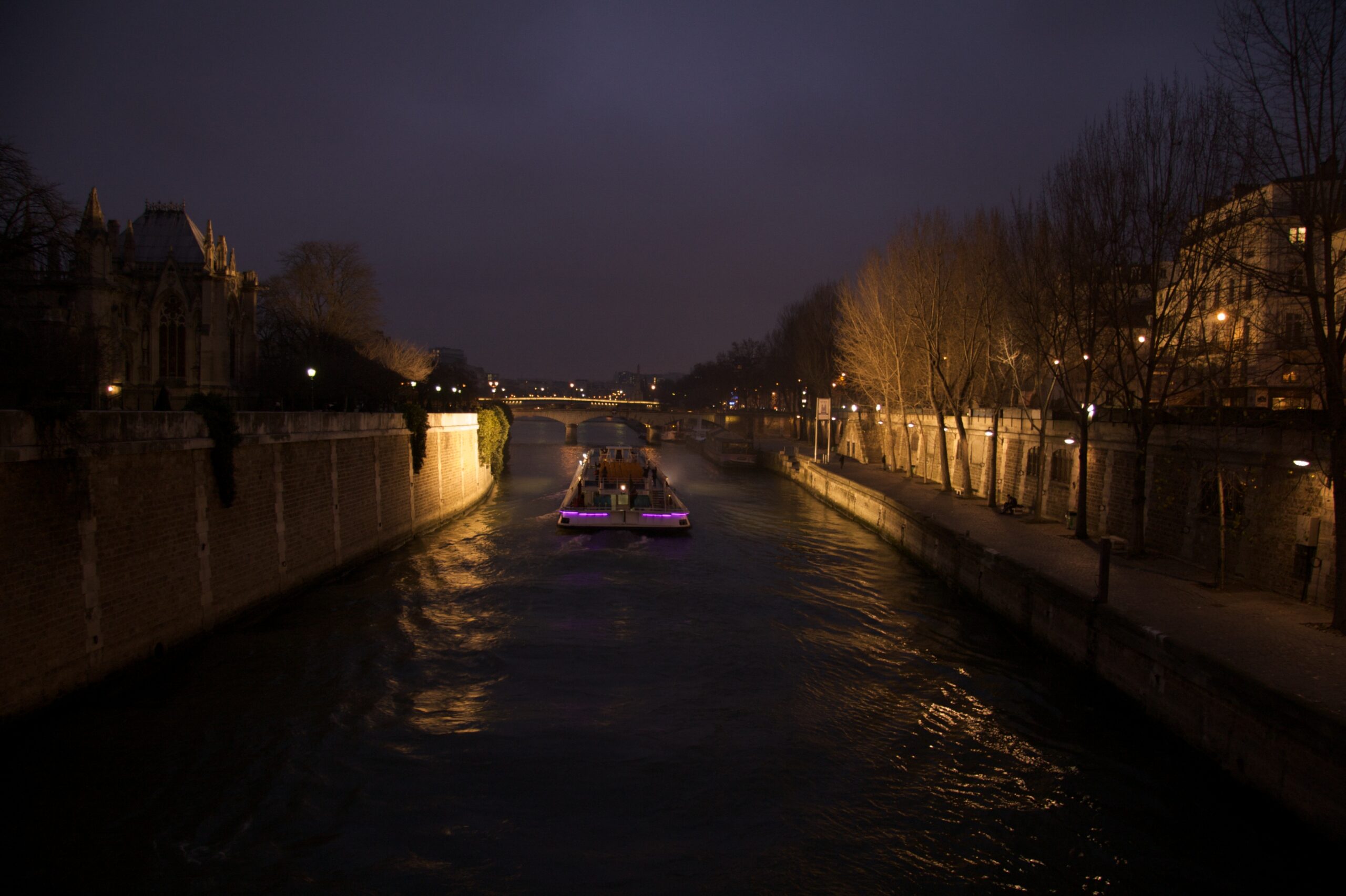
After a slightly hectic journey by Eurostar and Metro from a decidedly grey London this morning, we staggered up a final set of stairs and emerged, blinking, into bright Paris sunlight. The first thing we saw, quite literally, was Notre Dame looking as spectacular as ever. I leaned over the wall to take a photo, and my camera slipped out of my hand and bounced merrily down into the Seine.

Fortunately, it was only my backup camera - my little Ixus 750. I was rather fond of it - it has literally travelled everywhere with me for three years - but I was starting to think that it might need replacing before too long. It definitely needs replacing now!

Later, I took this photo quite close to its final resting place.

The Seine

Drop it in the box

I've only just started playing with Dropbox, but it looks very cool.

It's what iDisk should have been. Software for Windows, Linux and Mac will create a Dropbox folder on your machine. Anything you drop on that folder is efficiently and securely synchronised to all other machines connected to the same account. It keeps past versions of updated files for you. The storage behind the scenes is Amazon's S3 service. And if you're using less than 2GB, Dropbox is free.

Here's a more detailed write-up by Ryan Paul.

Cast your screens...

In early January, we're launching version 2.0 of our CODA platform, and Michael's done a short screencast which shows the fabulous new user interface that he, Thomas and Garry have been working on for the last few months. (We've also got a short video clip that'll show you the basics if you aren't familiar with CODA.)

The screencasts are really intended to show the new interface to our existing users rather than to sell it to new ones, but I know several of you are following what's happening with CODA, so I thought they'd be worth posting.

Can't wait to get version 2 out there...

Losing my innocence - Trading Places pt II

One thing that has shocked me in the last couple of months - since we registered as an exhibitor at a major trade show - has been the number of calls we've had from trade publications and websites. These are typically called something like 'Enterprise Technology Management', and their salespeople can talk for half an hour without taking a breath about the merits of their publications, how all of their writers are drawn from 'the analyst community', and how influential they are in whichever world they claim to serve.

As they wind down, they tell you that they have a special opportunity in this quarter's issue for an editorial/whitepaper/article/review focusing on your company - they would love to 'work with you' on this and it will typically cost you somewhere from £3000-6000. Oh, and it would be very helpful if you could make the decision now because the editor is waiting by their desk.

Now, I wouldn't mind if a publication that I had actually heard of had called up, said they had advertising space, told me their circulation numbers, and asked if I wanted to buy half a page. And I've always known that reviewers of products - for example in HiFi magazines - are offered luxury skiing holidays and suchlike by the vendors of those products. But in my naïvety I hadn't realised just how blatantly editorial inches were offered for sale, especially in the trade press. This has happened to us several times now.

So, gentle reader, in the unlikely event that you should be as innocent as I was, please don't trust anything in any magazine or trade publication that might drop through your door. At least, don't take it at face value. If you are unlucky enough to have to read these things, don't assume that because an article doesn't say 'advertisement feature' in the corner, that somebody hasn't paid for it to be there. It could have been me.

This post was brought to you with the help of Readership Weekly, the premier journal of the journal-reading community. Ask your newsagent for a free copy today!

Sony BDP-S350 region-free

I last bought a DVD player at about the time the Java programming language was invented. Finally it gave up the ghost so I've just got another - and this one runs Java. How times change.

When I got my first one, I paid quite a lot for the vendor to do some soldering to make it region-free, and that was so long ago that I'd almost forgotten the ridiculous DVD region system. But back then, when I started buying DVDs, they were more plentiful and noticeably cheaper in the States, so I have a few region 1 discs.

Fortunately, it turns out that there's a relatively straightforward hack for the Sony BDP-S350 to disable the region checking. So, to help make sure the details remain widely available, here's a copy of what worked for me.

First, you need a programmable remote control for which you can specify the infrared codes numerically. In my case, the easiest thing was to buy a One For All URC 7730 from Amazon for about £8. Then you do the following, which I found on AVforums. Don't skip any stages.

Region free BDP-S350 for DVD playback only, BD untested.

Based on instructions originally posted by kingfats

Player specs.
Online manual.

The full procedure for a OneForAll remote is below.
Here's a list of working remotes and another, plus another remote.

Other options:
Pronto codes advice.
Full set of Pronto codes with included region hack.
Region Free Hack using a Nokia N95
Sony BDP-S350/S550 DVD Region Hack for Nokia N95
Harmony remote hack.

One For All
We need to send five codes to the player, so we'll program them into keys 1 to 5:
1. Press DVD
2. Hold the magic button until the DVD button flashes twice.
3. Press 0533

4. Hold the magic button until it flashes twice.
5. Press 994
6. Press Magic Key (don't hold)
7. Press 00189 (if your oneforall remote uses 4 digit or 3 digit codes, use less leading zeros)
8. Press 1 ( this sets it to key 1 - it flashes twice )

9. Hold the magic button until it flashes twice.
10. Press 994
11. Press Magic Key (don't hold)
12. Press 00255
13. Press 2 ( this sets it to key 2 - it flashes twice )

14. Hold the magic button until it flashes twice.
15. Press 994
16. Press Magic Key (don't hold)
17. Press 00095
18. Press 3 ( this sets it to key 3 - it flashes twice )

19. Hold the magic button until it flashes twice.
20. Press 994
21. Press Magic Key (don't hold)
22. Press 00221
23. Press 4 ( this sets it to key 4 - it flashes twice )

24. Hold the magic button until it flashes twice.
25. Press 994
26. Press Magic Key (don't hold)
27. Press 00079
28. Press 5 ( this sets it to key 5 - it flashes twice )

The remote is now programmed and ready to use.

Now to make the BDP-S350 region free:

1. Make sure there's no disk in the player and that it's in standby.
2. Use the remote that came with the player to bring the player out of standby.
3. Press 1, 2, 3, 4, 5 on the oneforall remote. If you did everything above correctly, the 24p light will start flashing.
4. Put the player back into standby with the Sony remote.
5. Next time you turn on the player it will be region-free for DVD playback

Note - It's not known whether doing any firmware updates on the player could invalidate this, or require it to be re-applied. But it worked OK for me on a new player bought in Dec 2008.