Posts from July 2008

Internet independence

I was visiting the London office of a large internet company today and was planning to demonstrate CODA to them, so was a little distressed when I arrived to discover that their corporate internet connection was down, and they had no connectivity!

It all worked out well, though, because somebody in the group had recently bought a Netgear MBM621 - a 3G-to-ethernet router.
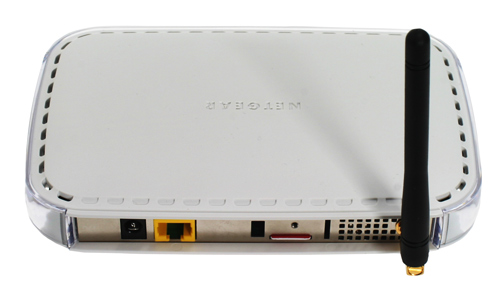
We plugged the CODA kit and my laptop into this, and It Just Worked (tm). What's more, the performance was remarkably good. It would be interesting to see whether it worked well outside the confines of central London, but in this situation, it was a real godsend.

This type of device could be a game-changer; exhibition centres often charge exhibitors phenomenal amounts for internet connections at their stands, for example. That little scam may not be viable for much longer.

Netgear call this little box a 'modem', but it's more of a router; it does DHCP and NAT, and the only downside I could see was that it only has one ethernet port, so you need a switch if you're plugging in more than one device.

Well worth investigating if you need to set up an impromptu network somewhere.

SSH ProxyCommand

Here's an exceedingly useful feature of SSH which I only discovered recently.

Imagine that you have a single 'gateway' machine on your network which you can connect to from outside using SSH; I do this all the time. You can then use that machine to connect to other machines inside your network in a variety of ways: using the port-forwarding abilities of SSH (the -L and -R options), for example, or simply by running another SSH command from the gateway machine once you've connected to it.

But there's a much tidier way to do it, using the ProxyCommand option.

To connect to internalmachine.mynet.com, just add something like the following to your ~/.ssh/config:

Host internalmachine.mynet.com
     ProxyCommand ssh gateway.mynet.com exec nc %h %p
then you can ssh directly to internalmachine.mynet.com from outside. SSH will connect to the gateway machine and run 'nc' to forward the SSH session to the internal machine. And, of course, you can use it for things layered over SSH, like checkouts from Git or Subversion repositories. Very tidy! I also sometimes add -C to the ssh command so that any access done this way is automatically compressed, even in situations where it was hard to specify that explicitly. If you're unlucky enough to find yourself stuck behind a web proxy with no other outgoing access, one very nice-looking use of ProxyCommand is the Corkscrew utility by Pat Padgett. Hope this is helpful to someone! Update: there are a few useful extra tips in the comments.