Networked scanner and Mac OS X
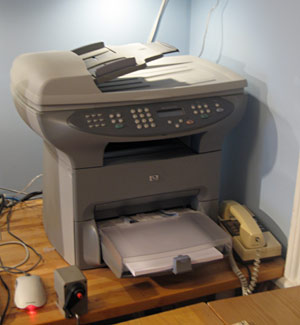 In the corner of my home office, there sits an HP OfficeJet 3330. I'm rather fond of this beast - it has provided us with a copier, scanner, fax and laser printer (albeit b&w) at home for a very reasonable price, and has never given us any trouble. There's a JetDirect box stuck to the back so that it's on the network and we can print to it from any machine in the house.
As an aside - I never realised just how useful having a copier at home could be until I got one. Here's an example: I occasionally like going for longish walks around the Cambridgeshire countryside on Sunday afternoons. I used to stuff a guide book in one pocket and an Ordnance Survey map in another. Now, I just photocopy a couple of pages and the relevant bit of the map. Much easier to deal with in rain or a high wind...
Anyway - the HP software is laughably bad, but we normally only need the printer driver which works just fine. Occasionally, though, I need to scan things. I forget whether there was no HP Mac software which worked with networked scanners, or whether it was so bad that I abandoned it, but for years I've been using the web interface to do any scanning. Not very flexible or convenient, but it worked.
Today, however, Dave Hill showed me a much better way, albeit rather more complex to set up. Those who are unlikely to want to try this should probably move on to John's blog at this point!
Can you do this and keep sane?
Basically, you use the Open Source SANE project, which supports a wide range of scanners connected in a variety of ways, and you combine it with Mattias Ellert's excellent TWAIN SANE Interface for Mac OS X, which can make SANE-connected scanners appear as TWAIN devices - the standard that most programs expect when talking to scanners.
You can do this all on the Mac itself, though I followed Dave's setup and used a Linux machine to provide the SANE service, which then allowed software on the Linux machines as well as on the Macs to make use of the scanner. I won't go into full details here - you can find out more from the links above - but the basics for my system are:
- The Linux machine connects to the OfficeJet over the network using the hpoj driver
Install sane and saned on the Linux box. In the unlikely event that your Linux distribution doesn't include it or offer a convenient package to install it, you can try the SANE project site. Make sure that hpoj is listed in /etc/sane.d/dll.conf. If that's the only scanner you want to contact, you can comment out everything else. You'll need to do something to register your particular scanner device; on my Ubuntu machine this involved running /etc/init.d/hpoj setup and entering the IP address. The scanner should now be available to Linux software; try running scanimage -L and you should see it listed. The HPLIP project may provide an alternative to HPOJ if wanted.
- The Linux machine shares it on the network using the SANE daemon saned.
Edit /etc/sane.d/saned.conf and specify that machines on your network will be allowed to connect via SANE - the easiest way is just to put in a line containg a plus (+), which allows everybody. You need to make sure saned is running, typically by starting it from inetd as described in the man page for saned.
- The Mac SANE backend is configured to connect to the Linux machine, where it can discover the shared scanners.
Mattias has a page where you can download the SANE backend for the Mac and the TWAIN SANE interface as convenient packages. You need to edit dll.conf here as you did on the Linux box to tell the Mac where to look for scanners - of you're using Mattias's packages, it lives in /usr/local/etc. In this case the only line you need to have uncommented is 'net'. Edit net.conf and put in the name or IP address of your Linux box.
You may also need to make sure that saned can be automatically run by editing /etc/services and /etc/inetd.conf, as you did on the Linux box.. - The TWAIN SANE interface makes this available to Photoshop, Image Capture, Acrobat etc.
Comments